Digital Scavenger Hunt
Also known as: Online Scavenger Hunt, Virtual Device Hunt, Digital Treasure Hunt
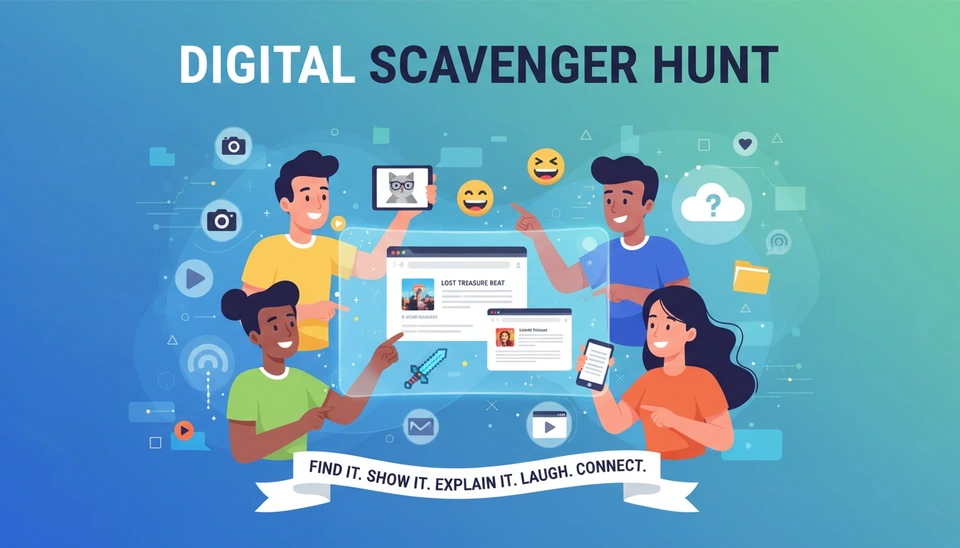
Digital Scavenger Hunt turns phones, laptops, shared drives, and everyday online tools into a fast team challenge. Players race to find screenshots, links, files, or digital clues that match each prompt, then explain their choices in short, memorable stories.
Quick Overview
Introduction
Digital Scavenger Hunt asks players to find a digital item that fits a prompt, then show it fast. A screenshot, browser tab, photo, playlist, meme, or saved file can all count if the explanation works. Because the clues live in familiar digital spaces, Digital Scavenger Hunt feels easy to join but still creates surprise, laughter, and genuine conversation.
Key Features
- Digital prompts lower setup time while still giving every player a concrete, visible thing to share and explain.
- Fast rounds create energy without forcing long speeches, which helps quieter participants join with less pressure.
- Works across phones, laptops, and shared platforms, so Digital Scavenger Hunt scales smoothly for remote or hybrid groups.
Ideal For
Digital Scavenger Hunt works especially well for remote onboarding mornings, hybrid class warm-ups, conference breakout sessions, and cross-functional team meetings where people need a quick shared challenge before deeper discussion.
What Makes It Unique
Unlike a physical scavenger hunt, Digital Scavenger Hunt reveals how people think, search, and tell stories inside the tools they already use every day.
How to Play
Preparation
5 minutes- 1Choose 6 to 10 prompts that fit the group. Mix easy prompts such as 'find a tab you open every day' with warmer prompts such as 'find a digital item that represents your personality.'
- 2Tell players what counts as evidence before you begin: screenshots, open tabs, photos on their phone, calendar entries, saved playlists, bookmarked links, or files on their desktop.
- 3Set a clear sharing rule. A player gets the point only if they can show the item quickly and explain in one short sentence why it matches the prompt.
Game Flow
15-20 minutes- 1Open with one demonstration round so nobody guesses the format. Use a simple prompt such as 'show a digital tool you could not work or study without.'
- 2Read one prompt at a time and give players 30 to 60 seconds to search on their own device. Keep the timer visible if possible.
- 3When time ends, call on each player or each small team to share their screen, hold up their phone, or describe the item if screen sharing is unavailable.
- 4Award points for speed, originality, or strongest explanation. If you want a lighter tone, let the group vote with reactions instead of keeping a strict scoreboard.
- 5Run 4 to 6 rounds, starting practical and ending more personal or creative. Stop while energy is still high, not after the format starts to feel repetitive.
Wrap Up
5 minutes- 1Ask each player to name one surprising thing they learned from someone else's digital find.
- 2Invite the group to vote on the most useful, funniest, or most unexpected item from the full Digital Scavenger Hunt.
- 3Close by linking the activity to the next meeting goal, such as collaboration, onboarding, or creative problem-solving.
Host Script
Questions & Examples
Work and Team Prompts
- •Find a digital tool that saves you the most time each week.
- •Show a browser tab that says something about your work style.
- •Find a file name that only your team would understand.
- •Show one digital item that represents your best workday.
Onboarding and First-Day Prompts
- •Find the first screenshot or note you saved after joining this team or class.
- •Show one app you hope will make this new role easier.
- •Find a digital item that represents what you want to learn first.
- •Show something on your device that helps you feel prepared on day one.
Personal Story Prompts
- •Find a photo on your phone that always improves your mood.
- •Show a playlist, podcast, or video that says something true about you.
- •Find a saved image or meme that your friends would instantly recognize as yours.
- •Show one digital item that represents a hobby outside work or school.
Creative Twist Prompts
- •Find the weirdest item in your downloads folder that you can explain.
- •Show a digital object that could be your superhero origin story.
- •Find a screenshot that proves you solved a problem in an unusual way.
- •Show one online item that should definitely not represent you, but somehow does.
Virtual Version (for Zoom/Teams)
Digital Scavenger Hunt is naturally suited to remote play because the search space already lives on participants' devices. It also works well in hybrid rooms when remote players can share screens and in-room players can project from their phones.
- •Use chat to paste each prompt so players do not waste time asking for repeats.
- •If bandwidth is uneven, allow players to describe the item verbally or post a quick screenshot in chat instead of screen sharing.
- •In large groups, run Digital Scavenger Hunt in breakout rooms of 5 to 7 people, then bring back one winner from each room for a final round.
Tips & Variations
Pro Tips
- ✓Give one model answer at the start so participants understand that explanation matters as much as the item itself.
- ✓Sequence prompts from low-risk to higher-trust. Start with productivity or entertainment, then move toward identity, goals, or values.
- ✓Keep the rounds short. Digital Scavenger Hunt feels sharper when players react quickly instead of over-curating the perfect answer.
Variations
Screenshot Sprint
Players must respond only with screenshots, which makes the game faster and works well when cameras are off.
Theme Week Hunt
Build every prompt around one theme, such as customer empathy, study habits, team culture, or product knowledge.
Pair Search
Put players in pairs for two rounds and ask them to agree on one shared answer before presenting it together.
Common Pitfalls
- ✗Using prompts that are too vague, which makes players freeze instead of search.
- ✗Making every round personal from the start, which can reduce comfort and participation.
- ✗Letting shares run too long, which drains the pace that makes Digital Scavenger Hunt fun.
Safety & Inclusivity Notes
- •Tell participants not to reveal passwords, private messages, financial information, or sensitive work documents while screen sharing.
- •Offer a pass option on every round so people can protect personal boundaries without feeling singled out.
- •Avoid prompts that assume the same culture, income level, family setup, or digital access for everyone.
- •If minors or new hires are present, remind the group that humorous finds are welcome, but teasing and public judgment are not.
Why This Game Works
Digital Scavenger Hunt works because it combines structured self-disclosure, low-stakes play, and rapid decision-making. Participants are not asked to invent a long introduction from nothing; they react to a concrete prompt, choose a digital artifact, and explain it. That sequence lowers social friction, increases conversational flow, and gives the group repeated moments of curiosity, laughter, and recognition.
Psychological Principles
Social Penetration Theory
Irwin Altman and Dalmas A. Taylor
Social Penetration Theory proposes that relationships deepen through gradual, reciprocal self-disclosure. People usually move from safe surface facts to more meaningful personal details when the setting feels balanced and the exchange feels mutual rather than one-sided.
Application in Game
Digital Scavenger Hunt creates that balanced exchange naturally. Everyone responds to the same style of prompt, but each person chooses a different screenshot, link, folder, or image to share. The artifact gives enough distance to feel safe, while the short explanation adds personality and trust.
Psychological Safety
Amy C. Edmondson
Psychological safety describes a shared belief that a group is safe for interpersonal risk-taking. When people expect curiosity instead of embarrassment, they are more willing to speak, ask questions, admit uncertainty, and contribute original ideas.
Application in Game
Digital Scavenger Hunt reduces risk because there is no single correct answer. A funny meme, a useful app, or a meaningful old file can all be valid responses. When the host praises creativity and offers pass options, participants learn quickly that contribution matters more than perfection.
Self-Determination Theory
Edward L. Deci and Richard M. Ryan
Self-Determination Theory explains that intrinsic motivation grows when three needs are supported: autonomy, competence, and relatedness. People engage more deeply when they can make meaningful choices, succeed at a manageable challenge, and feel connected to others.
Application in Game
Digital Scavenger Hunt supports autonomy by letting players choose their own digital evidence, competence by using short achievable rounds, and relatedness by turning each find into a shared mini-story. That mix makes the activity feel playful instead of forced, even for skeptical groups.
Measurable Outcomes
Change in Guilford's Alternate Uses test performance while walking versus sitting in a four-experiment study.
Timeframe: Immediate
Belonging ratings after conversations with flow versus disrupted flow among strangers in Study 3.
Timeframe: Immediately after the interaction
Follow-up questionnaires collected after closeness-generating interaction tasks in classroom implementations.
Timeframe: Seven weeks later
Frequently Asked Questions
That is completely workable. In Digital Scavenger Hunt, players can hold up a phone, paste a screenshot in chat, or simply describe the item in one sentence. The key is giving everyone a low-pressure way to participate without making screen sharing feel mandatory.
Use a visible timer, one clear scoring rule, and short share limits. The game feels focused when every round follows the same rhythm: prompt, search, share, quick reaction, next prompt. A host who keeps transitions crisp makes a big difference.
No. It also works well in classrooms, workshops, and in-person meetings because most people already have a phone or laptop nearby. In person, participants can search on their devices and then project, pair up, or show their screens to small groups.
The sweet spot is usually 6 to 20 people in one room. For larger groups, use breakout rooms or table groups so everyone still gets a chance to share. The activity stays engaging when each round includes real visibility, not just silent searching.